
In the last post, I covered how I chose RideNote as a project and validated the idea through research. The gap was clear: riders need something simple to track their bike settings, not another complex tuning tool.
Now comes the harder part: deciding what actually goes into version one.
The Problem in Detail
I’ve been riding for over a decade, and I can never remember what settings worked. I’m not alone. Some riders don’t even know suspension needs adjusting. Others, like me, have notes scattered across phones, whiteboards, and memory.
One day I was watching a YouTube video featuring Charlie Murray, an Enduro racer. His mechanic was explaining his bike setup while paging through a little book with handwritten scribbles. If the pros are doing it in such a rudimentary way, there’s clearly a gap.
Most riders fall somewhere in between. They care about their setup, they make adjustments, but they have no good way to remember what worked.
What RideNote Does
The solution needed to be stupidly simple. After the research showed that riders want speed and simplicity, I designed around that constraint.
RideNote lets you log a ride in about 60 seconds: date, trail name, tire and suspension pressures, conditions, a rating, and optional notes. That’s it. No graphs, no recommendations, no complex analysis.
When you want to check what worked before, you search by trail name or filter by rating. Find the ride, see what settings you used, done.
The Flutterflow Lesson
My first attempt at this in 2023 failed because I approached it wrong. I went in with blue sky thinking, trying to build everything I could possibly imagine being useful.
Two problems: First, Flutterflow couldn’t handle that complexity. Second, and more importantly, I was thinking like a user who wanted everything, not a product builder who needed to ship something useful.
This time I flipped the approach. I narrowed the blue sky to half the size, but AI gave me the capability to build anything within that scope. Much more powerful.
The key difference is I’m sticking to the niche the research identified. Simple note-taking for bike settings. Nothing more.
Scope Decisions
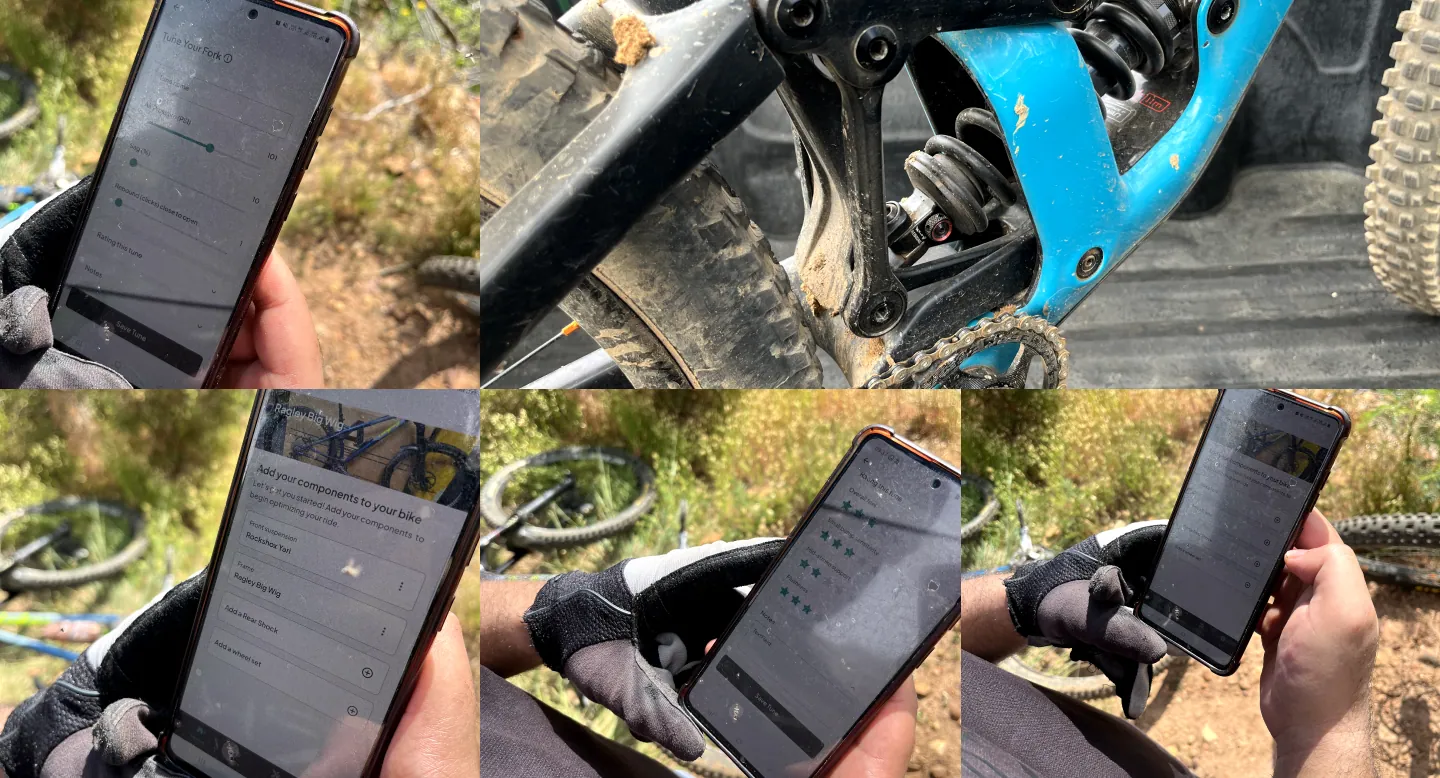
After validation, I didn’t use any formal framework for defining the MVP. I just asked: what’s the absolute minimum that gives complete value?
The answer was the core logging and history features. Everything else was noise.
I wanted to include more advanced features for pro users. Stuff like high-speed and low-speed compression settings and rebound adjustments were on the list but deprioritized. We might add them, we might not.
What I definitively cut were things that would violate the simplicity premise: technical suspension data visualizations, graphs and charts, calculations, AI recommendations. Those weren’t for the MVP and probably never will be. This isn’t for suspension engineers, it’s for regular riders who just want to remember what worked.
The “what we’re NOT building” list was critical:
- No social features or community
- No AI recommendations
- No maintenance tracking
- No authentication or heavyweight backend
- No integration with other apps
Some of these were tempting. Maintenance tracking especially, since it’s adjacent to the problem. But each addition would have made the app more complex and taken longer to ship.
The goal was validation, not building a comprehensive bike management platform. Ship something simple, see if people use it, iterate from there.
Documenting the Plan
With scope decisions made, the next step is documenting everything in a way that’s actually useful. Not a deck that sits in Google Drive, but a document that informs every decision going forward.
I created a Product Requirements Document. The PRD captures everything: the vision, the features, what’s explicitly out of scope, success metrics, user personas, technical decisions, even the rules for how the AI builder should approach implementation.
This document serves multiple purposes. It’s the source of truth for everything the AI needs to generate. It’s a reference for design decisions. It’s what I check when I’m tempted to add features. It’s also proof of thinking for my portfolio, showing how I approach product work.
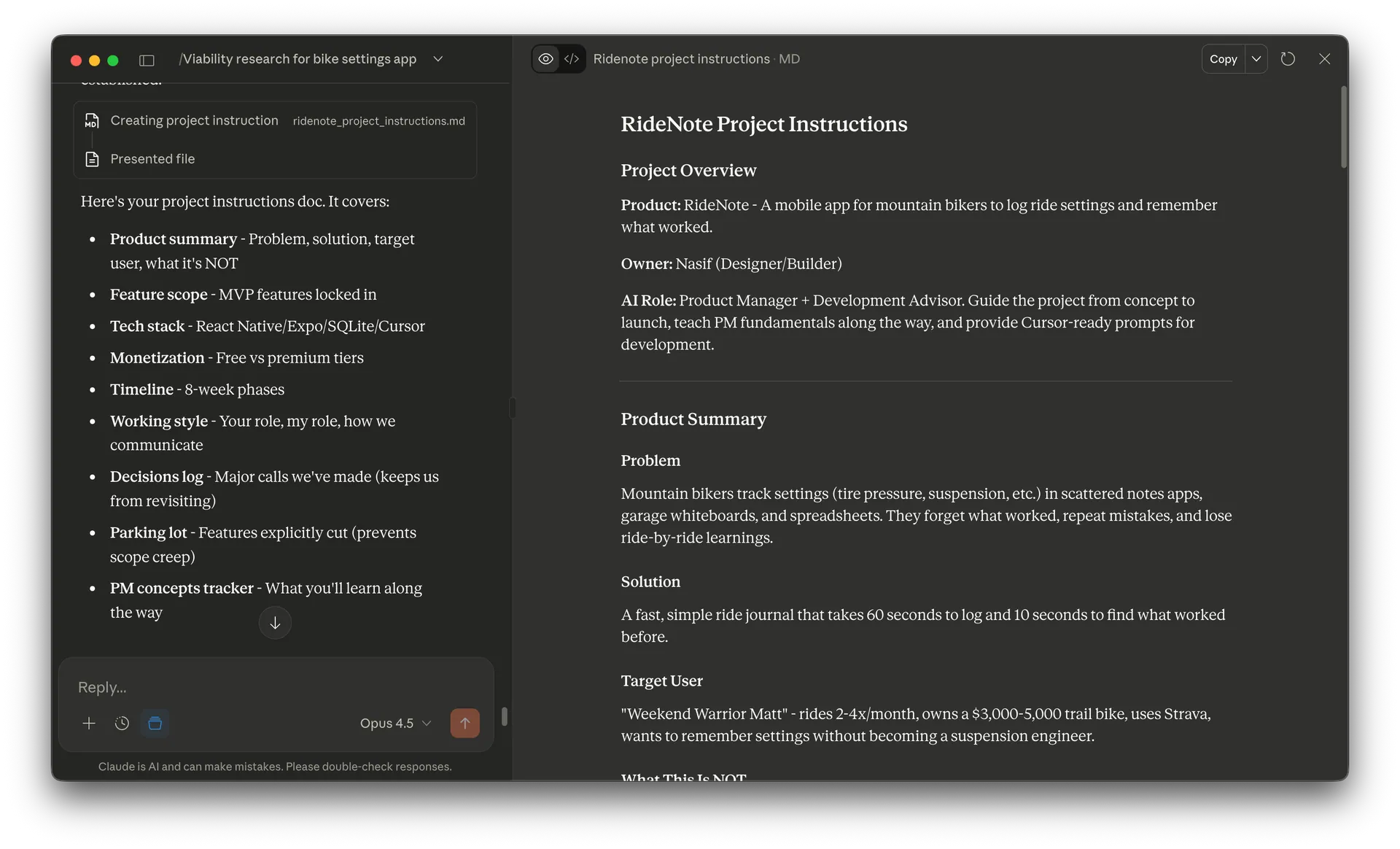
The PRD includes:
- Product vision and problem statement
- User persona (Weekend Warrior Matt, the 32-year-old with a trail bike who can’t remember his settings)
- Feature specifications with exact field types and ranges
- Information architecture and screen flows
- Technical stack decisions with rationale
- What we’re explicitly NOT building
- Success metrics and timeline
Creating this document forced clarity. Every feature needs specific details: field types, ranges, required vs optional. Every technical decision needs rationale. When you document “no social features, no AI recommendations” you’ve committed to simplicity.
The PRD also becomes the contract with yourself. When I’m three days into development and think “it would be cool to add trail recommendations,” I check the document. Not in scope. Ship the MVP first.
This might seem like overhead for a solo project, but it’s the opposite. It removes decisions from my head and puts them in a document. Every time I sit down to work, I’m not reinventing what to build or debating scope. I’m executing against a plan.
Timeline Reality
The actual design and build took about two weeks. That includes:
- Product planning
- UI design
- Development (React Native with Expo)
- Testing the core flows
Then another two weeks (and counting) for administrative stuff: Apple Developer account approval, App Store submission prep, final polish.
The biggest risks were exactly what you’d expect:
- Feature creep (partially happened, but controlled)
- Technical complexity (avoided by keeping it simple)
- App Store review delays (still waiting)
But the core build was fast because the scope was tight and AI-assisted development made implementation much quicker than it would have been otherwise.
What I Learned
The difference between my 2023 attempt and this version comes down to discipline.
Last time, I tried to build everything I could imagine being useful. This time, I’m building the minimum that will be genuinely useful.
Last time, I let the tool’s limitations constrain me. This time, I constrained the scope first, then chose tools that work within those constraints.
What’s Next
Now that the MVP scope is defined and I know exactly what features need to be built, the next phase is design. Translating these requirements into actual screens, user flows, and interface decisions.
How do you design for speed when riders want to log something in 60 seconds? What does the information architecture look like? Where does AI help in the design process and where do you still need to make judgment calls?
That’s what I’ll cover in the next post: designing RideNote and turning scope into screens.
Related posts

Get occasional product + AI notes
1–2 emails/month. Practical ideas on building, shipping, and using AI well.