
Ripple - Personal Productivity Tracker
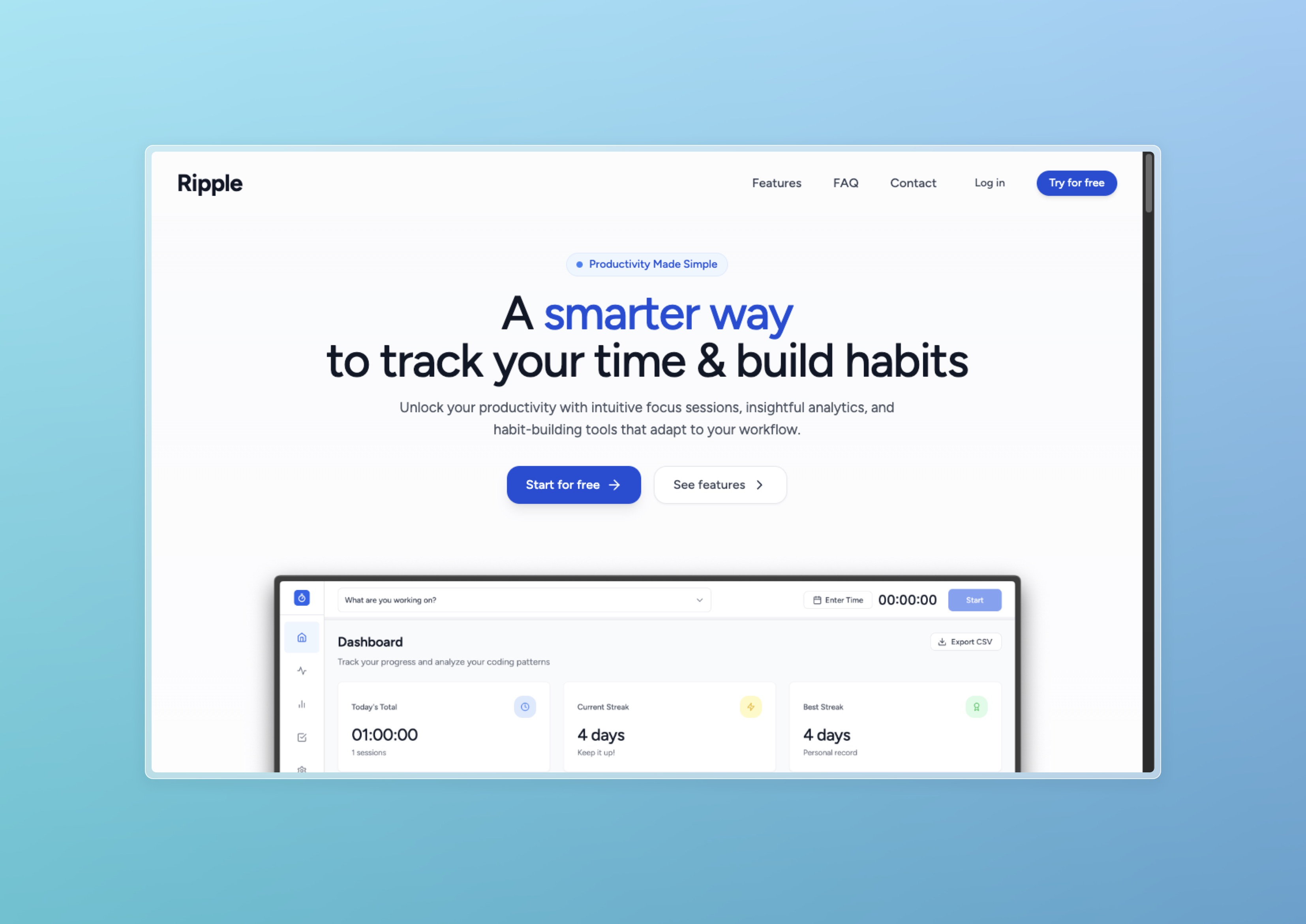
Built a time tracking and habit building app for my own coding projects, designed around how I actually work rather than theoretical productivity systems.
Project Overview
I needed a better way to track my coding projects and build better habits, but existing time trackers didn’t fit how I work on creative projects. I started building this in Bolt for rapid prototyping, then moved it into Cursor when I wanted more control. It’s designed around how I actually work, not some theoretical productivity system, and I use it daily to track my own development work.
Tools & Technologies
Frontend
Backend
Dev Tools
The Challenge
Personal Need
Existing time trackers didn’t fit how I work on creative and development projects with varying intensity.
Learning Goal
Wanted to practice building with modern React patterns and real-time data synchronization.
Habit Building
Needed something that would help me understand my work patterns and build better development habits.
Rapid Development
Wanted to build and iterate quickly to test the concept before committing to extensive development.
Role & Responsibilities
I handled full-stack development and design, creating user experience based on my personal workflows. I built the real-time data architecture with Supabase, implemented analytics and insights features, designed the mobile-responsive interface, and did all the personal user testing and iteration. This was built for me, by me.
Key Features
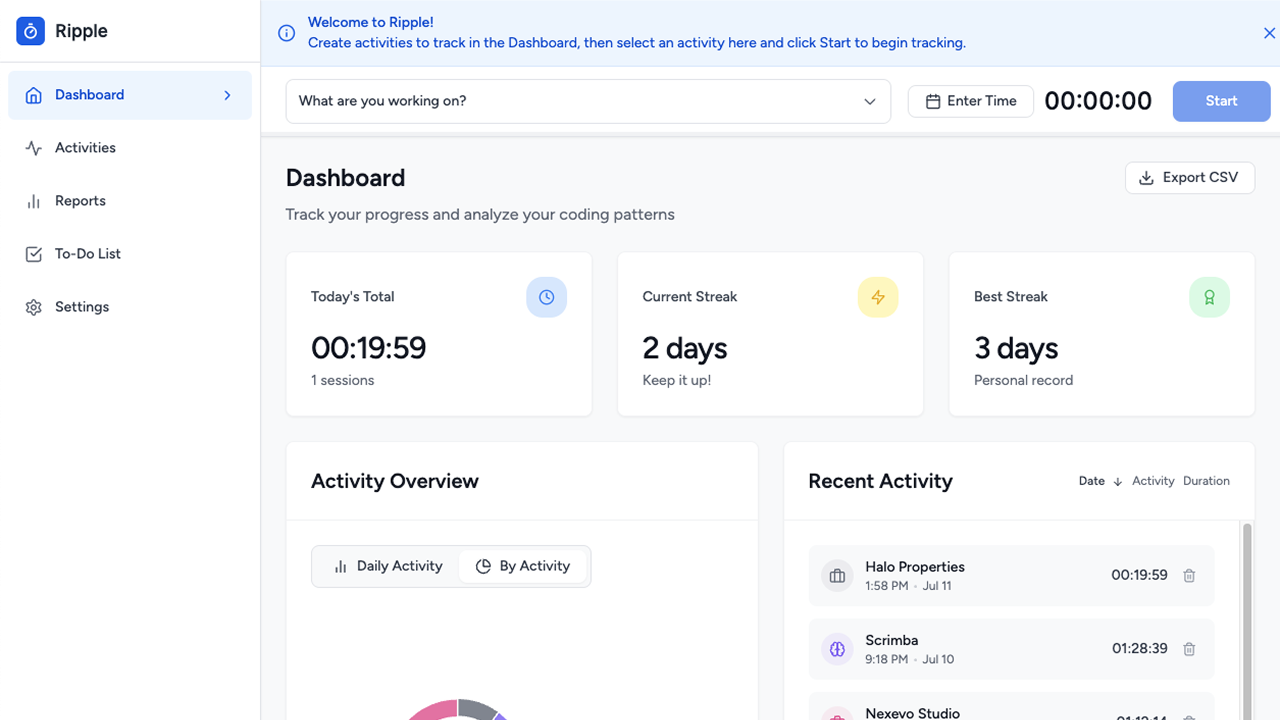
I created a clean, intuitive app that adapts to how I actually work on projects. The focus sessions provide intuitive time tracking that doesn’t force rigid time blocks but adapts to natural work flows. Project analytics give me visual insights into productivity patterns across different types of coding and design work. Simple habit tracking tools track consistency without being overwhelming. The activity overview shows daily and weekly views that reflect actual work patterns rather than idealized schedules. All data syncs instantly across devices using Supabase real-time capabilities. The clean interface stays out of the way during focused work sessions.
Results & Impact
Daily Usage
Using it daily for all coding projects - it’s become an essential part of my development workflow.
Rapid Development
Built the entire app in one week using Bolt for prototyping then Cursor for refinement.
Work Insights
Gained valuable insights into my actual productivity patterns and peak coding hours.
Technical Learning
Improved skills with React state management and real-time data synchronization patterns.
Key Learnings
Building tools for yourself ensures they solve real problems you actually face. There’s no guessing about requirements when you’re the user. Rapid prototyping with Bolt then moving to Cursor is an effective development workflow. Bolt gets ideas out fast, Cursor gives you control for refinement. Personal productivity apps work best when they adapt to natural work patterns instead of forcing new behaviors. Real-time sync is essential for tools you use across multiple devices. Without it, the friction of manual syncing kills adoption. Simple, clean interfaces are more effective than feature-heavy dashboards. I learned to resist adding every possible metric and focus on what actually matters. Using your own tools daily provides the best feedback for iteration. You notice friction points immediately and fix them before they become ingrained patterns.