
AI-Powered WhatsApp Flow Builder
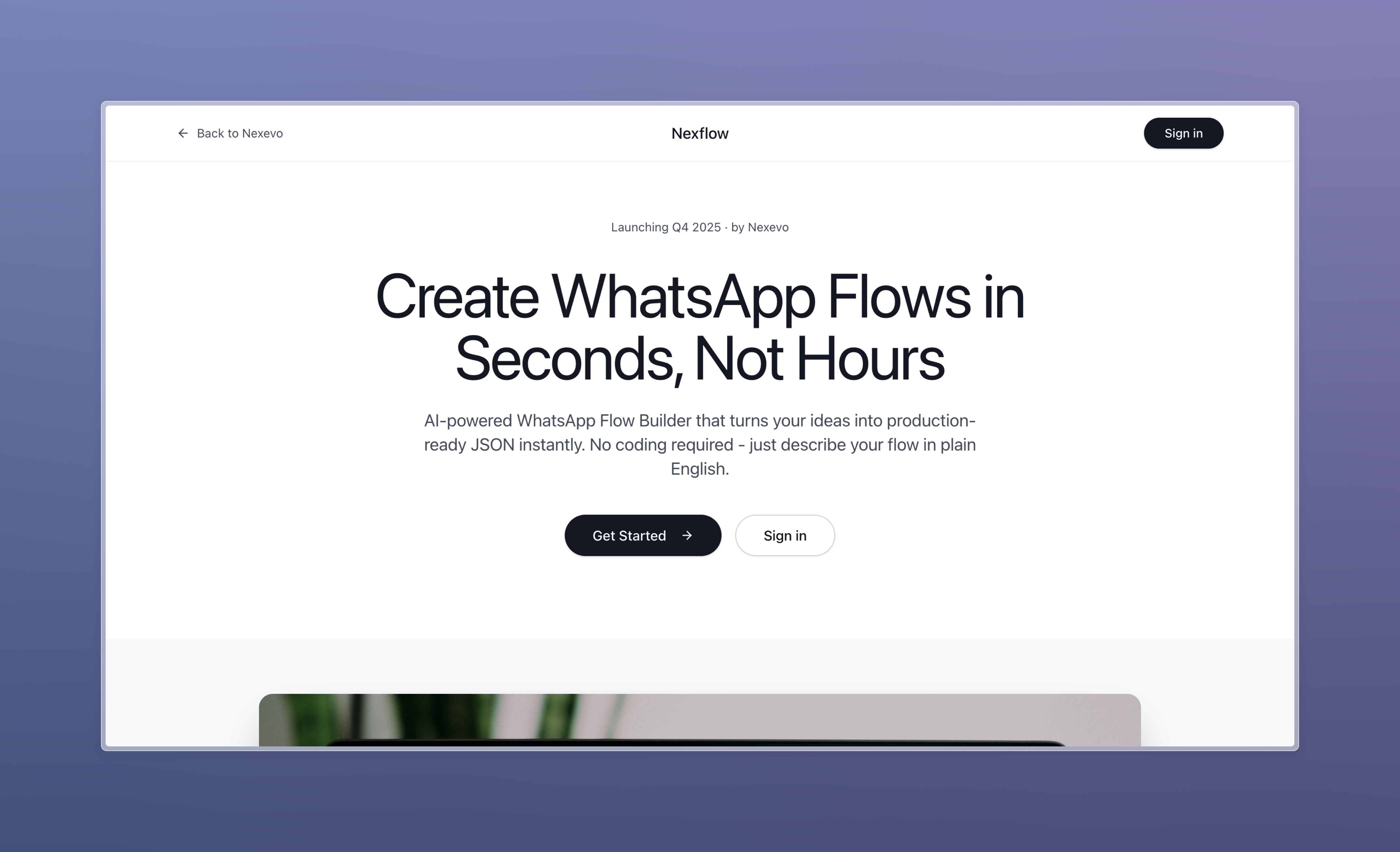
Built an AI-powered visual builder that transforms natural language into production-ready FlowJSON, bridging the designer-developer workflow.
Project Overview
I needed to create WhatsApp Flows for a project and quickly discovered the existing tooling was inadequate. Meta’s official playground requires verified business accounts and lacks flexibility. WhatsApp Flows use FlowJSON, a proprietary format that’s notoriously error-prone. There was no way to experiment freely, iterate quickly, or collaborate effectively between design and development teams. I identified this gap and built an AI-powered visual builder that evolved from a simple prototype into a full SaaS platform.
The Challenge
Meta’s Limited Tooling The official playground requires verified business accounts, offers limited flexibility for experimentation, and provides no way to visualize flows outside their sandbox.
Technical Complexity WhatsApp Flows use FlowJSON, not standard JSON. Simple flows require thousands of lines of error-prone code. No visual editor exists to see what you’re building, creating a high barrier to entry.
Design-to-Development Gap Designers mock flows in Figma as static images. Developers manually rebuild everything as code. No shared tool works for both roles, leading to translation errors and wasted time.
No Experimentation Path There was no way to experiment freely, test ideas quickly, or validate concepts without building production-ready code first.
Role & Responsibilities
I handled everything as a solo project: product strategy, UX/UI design, full-stack development, and platform architecture. From identifying the problem to building the solution.
Evolution: From Prototype to SaaS Platform
This project wasn’t built in one sprint. It evolved through distinct phases as I validated demand and identified opportunities.
Phase 1: Manual AI Workflow
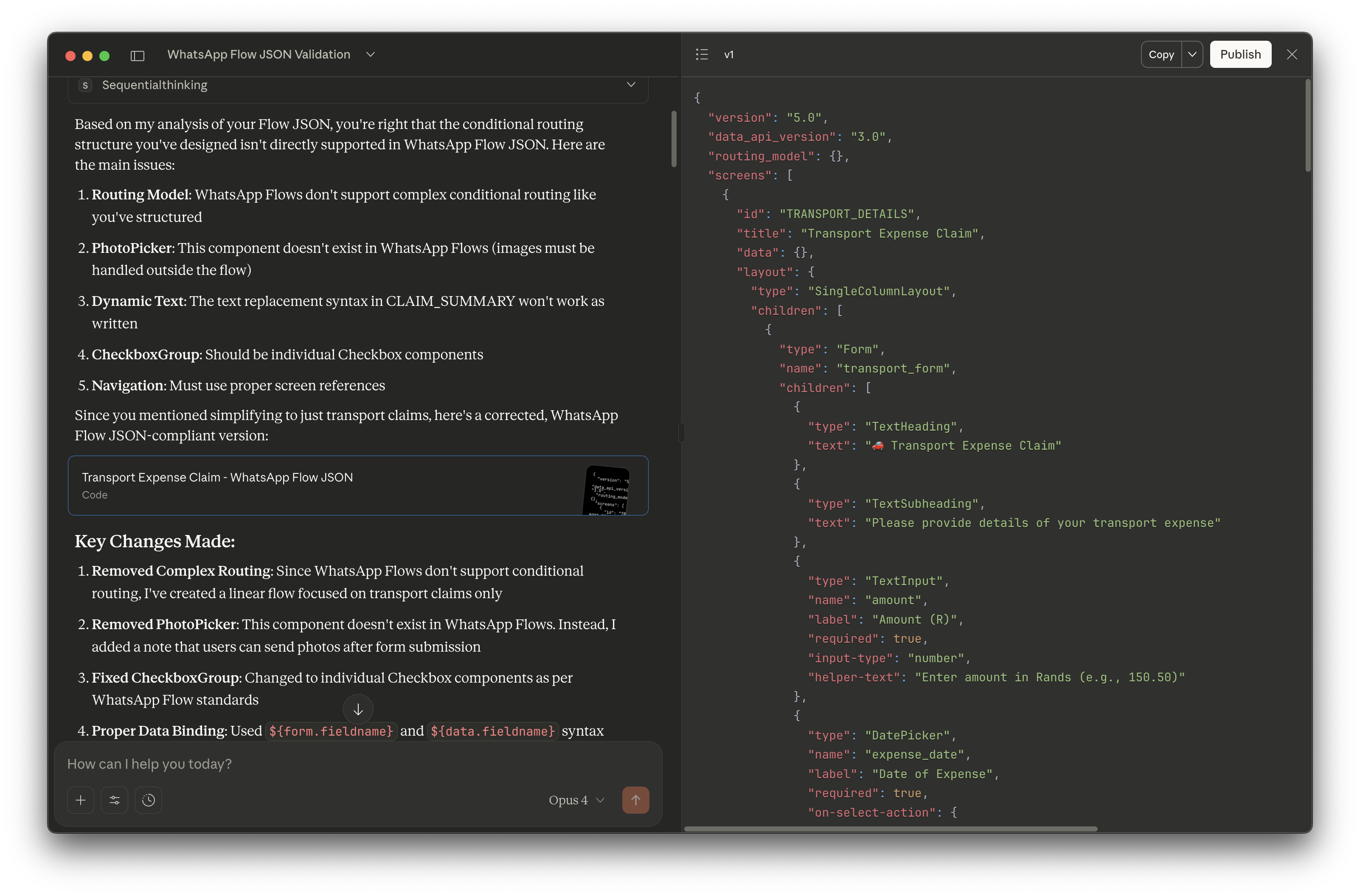
I started by setting up a Claude Project with Meta’s FlowJSON documentation. The process involved writing user stories describing desired flows, having Claude generate FlowJSON based on documentation, copying JSON into Meta’s playground to test, debugging errors manually, and repeating until it worked. This approach functioned but was slow and error-prone. FlowJSON errors are cryptic and debugging took significant time. I needed a better way to visualize and validate.
Phase 2: Simple Visualizer
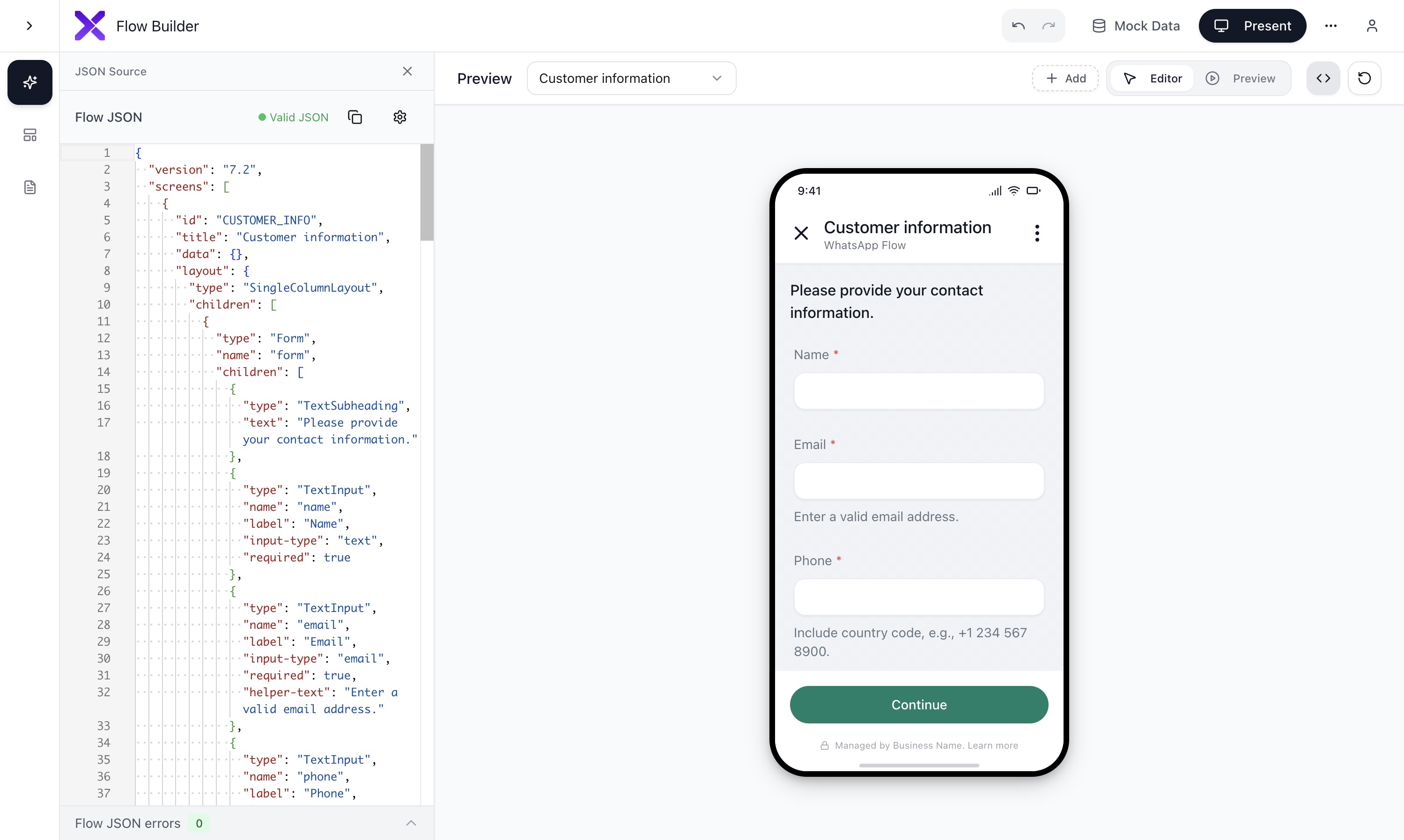
I built a basic visualization tool in Replit that ingests FlowJSON, parses and renders it as clickable UI, shows flow structure and navigation, and works offline without requiring accounts. This made testing ten times faster. I could iterate locally without external dependencies. Manual JSON writing was still required but the testing bottleneck disappeared.
Phase 3: AI Generation + Visual Editor
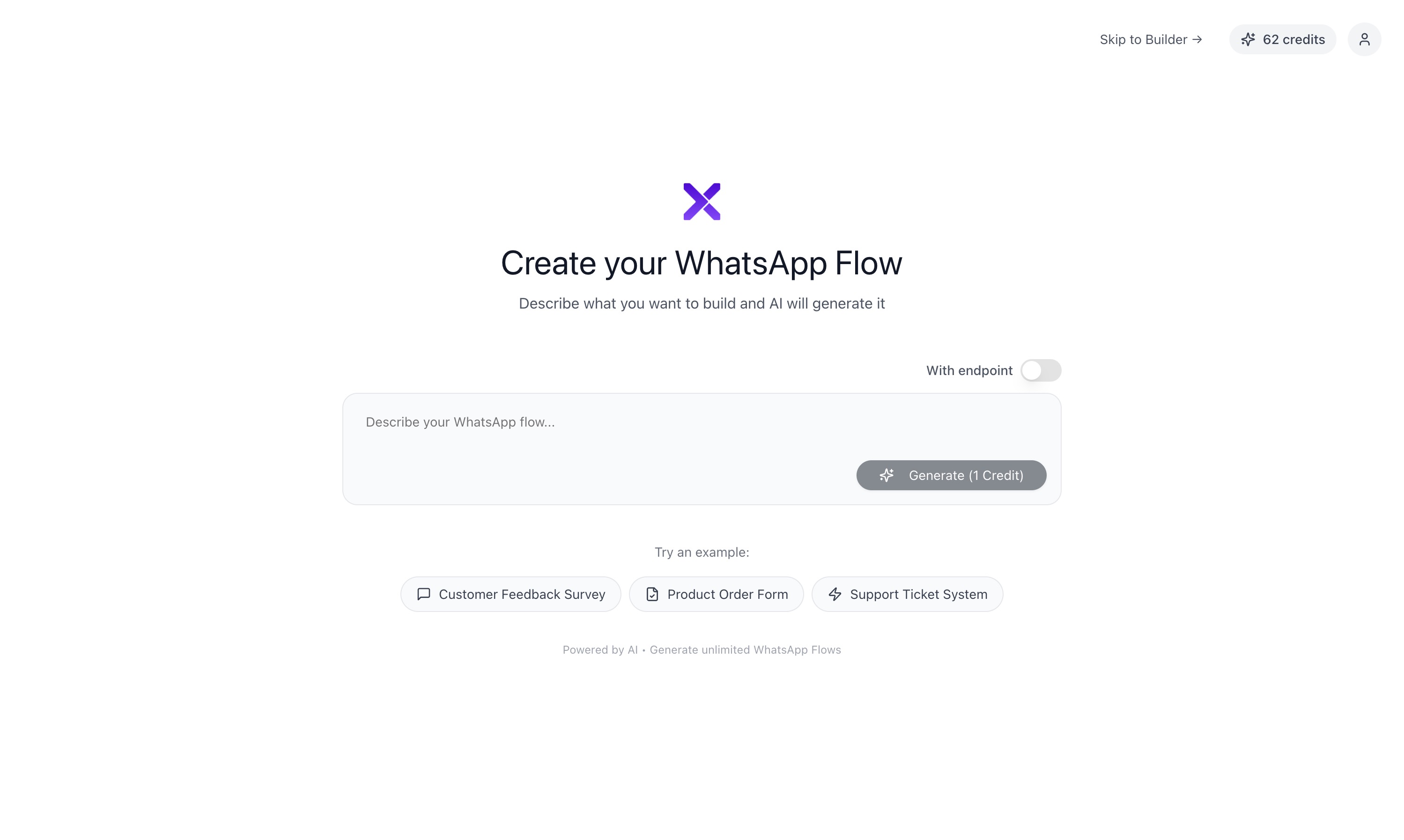
I added Claude and OpenAI API integration with a natural language prompt interface. I built a Monaco code editor for JSON with syntax highlighting and real-time preview updates. The split-screen view showed code on the left and preview on the right. This created a feedback loop: prompt, generate, preview, edit, preview. Iteration cycles went from minutes to seconds.
Phase 4: Bridging Design and Development
In typical workflows, designers create static mockups in Figma showing what a flow should look like. Developers then manually rebuild everything as code. This creates translation errors, slows delivery, and requires constant back and forth.
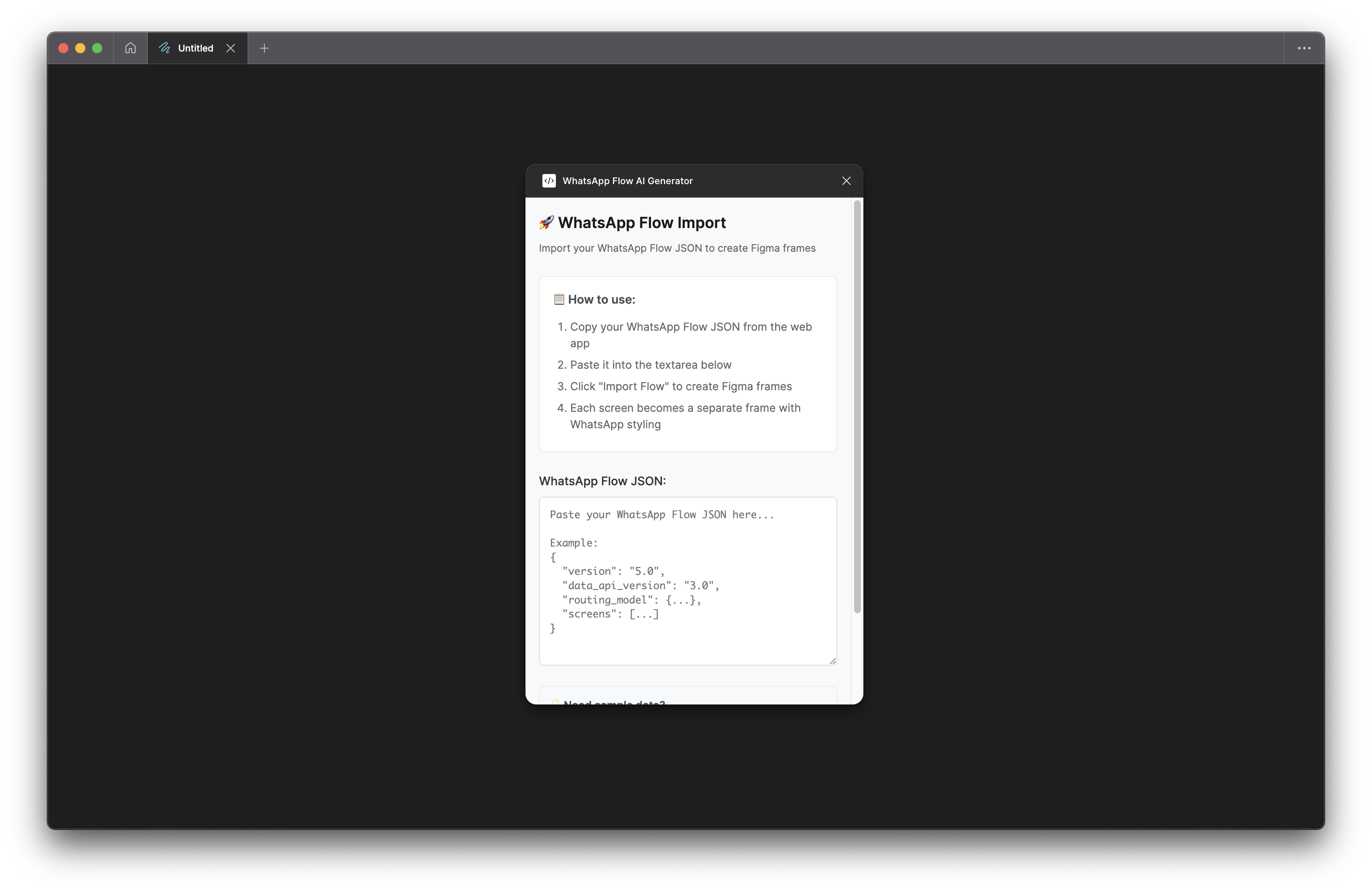
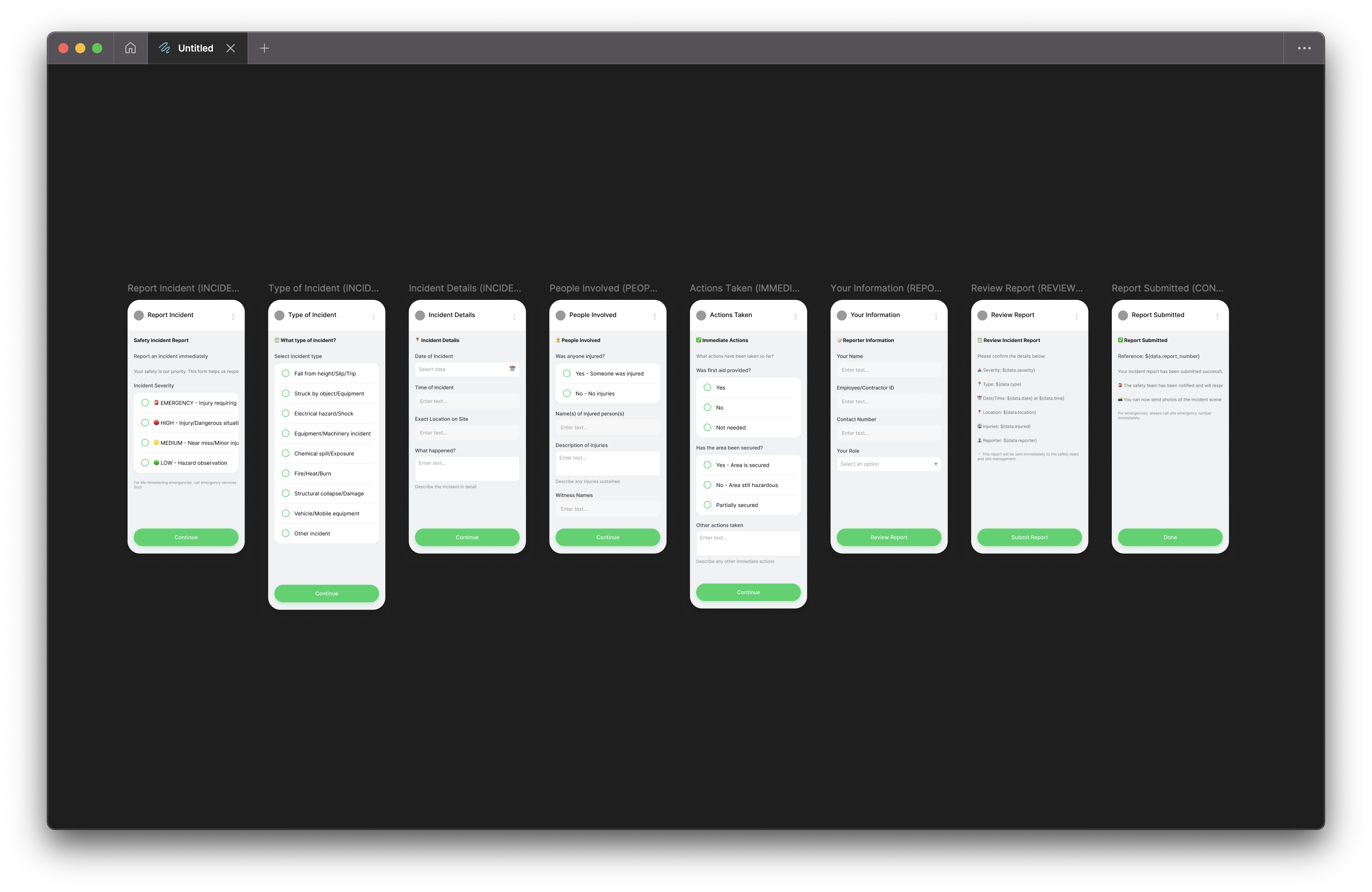
I built an export mechanism that converts live, coded flows into Figma-compatible JSON. Users can generate a flow with AI, refine it in the builder, then instantly import it into Figma. Figma layers are editable and maintain design system consistency. Designers can use the tool for rapid prototyping, brainstorming, and collaboration.
Phase 5: Production SaaS Platform
Someone expressed interest in using the tool regularly, so I rebuilt it as a proper multi-user platform. I migrated from the Replit prototype to a production stack with React, Node.js, and TypeScript architecture. Supabase handles authentication and the PostgreSQL database. I added user accounts, authentication systems, and cloud storage for saving and loading flows across devices.
The monetization layer uses a credit-based system with 20 free credits per user. Each AI generation costs one credit. I built credit packages for Starter, Pro, and Enterprise tiers and created payment infrastructure ready for Stripe integration.
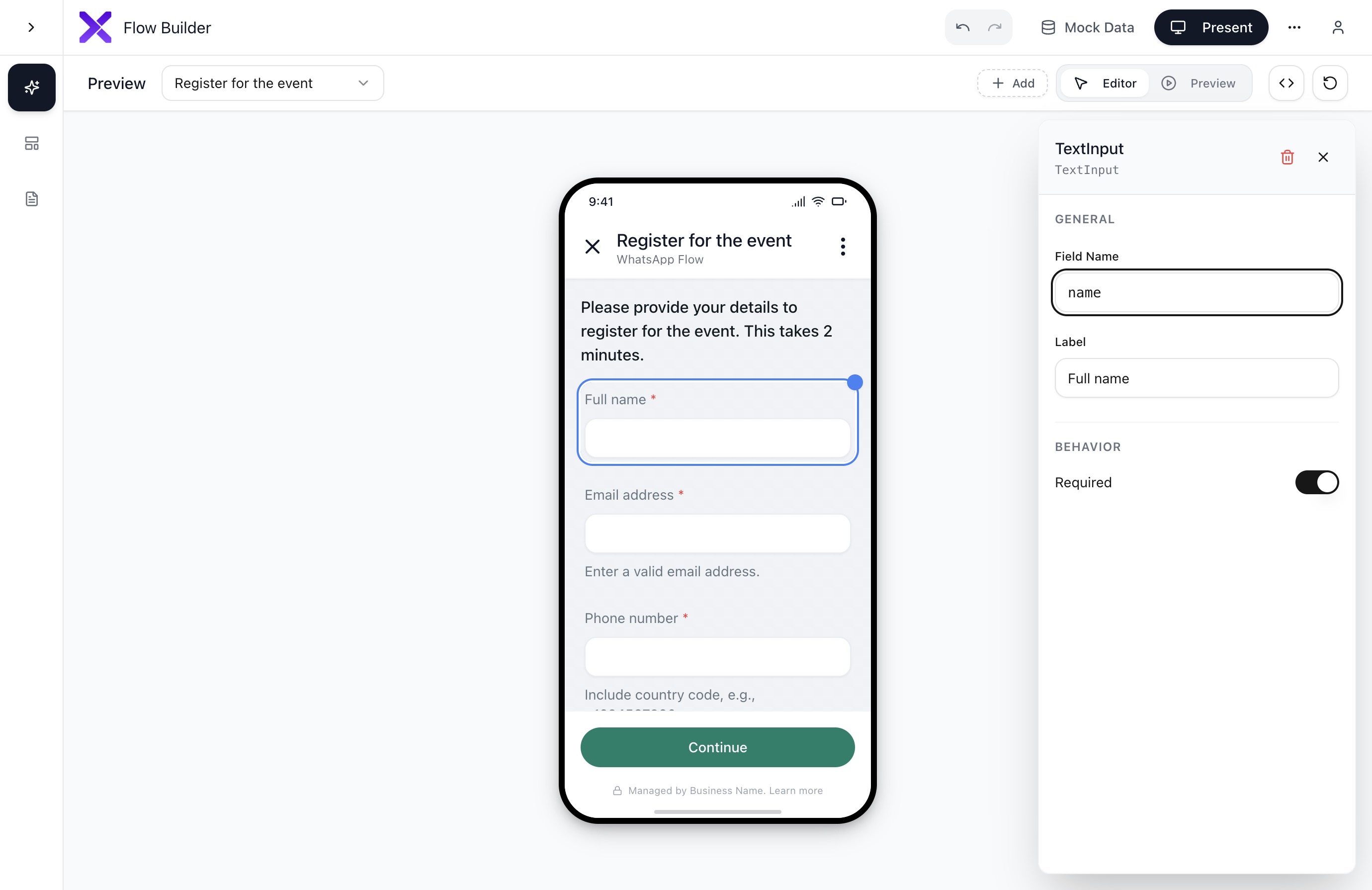
Additional features include an endpoint simulator for testing data-driven flows without a backend, image upload and hosting for dynamic headers, pixel-perfect WhatsApp preview, schema validation with real-time error highlighting, undo and redo history with state management, and saved templates for reusable flow patterns.
Phase 6: Polish & User Experience
The current state is a 90% production-ready SaaS platform. UI and UX refinements include a flyout properties panel with glass-morphism design, micro-interactions like toasts and loading states and transitions, visual fidelity that matches the native WhatsApp interface one to one, responsive layout optimized for different screen sizes, keyboard shortcuts for power users, and dark mode support.
How I Used AI Throughout
I used Claude and GPT-4 throughout development for architecture decisions and technical problem-solving, code generation and refactoring, component design and optimization, and documentation and error handling.
The core product uses AI to generate FlowJSON from natural language prompts, automatically fix common schema errors, generate mock data for testing, suggest improvements to flow structure, and validate against WhatsApp’s evolving specification.
AI also helped create product documentation, error messages and user guidance, marketing copy, and tutorial content.
Technical Stack
Frontend
Backend
AI Integration
Deployment
Results & Impact
Problem Solved Reduced WhatsApp Flow creation from days of JSON debugging to minutes of natural language prompting. Made complex technical implementation accessible to non-technical users.
Technical Achievement Built production-grade SaaS platform as solo developer in a month on and off. Demonstrates full-stack capability, product thinking, and ability to identify and solve workflow problems.
Cross-Functional Value Bridges designer-developer workflow through Figma integration. Solves collaboration problems, not just technical problems.
Platform Thinking Built for scale with multi-user support, monetization-ready infrastructure, and extensible architecture. Not just a tool, but a complete platform with a business model.
Key Learnings
- I started with the simplest possible solution through manual workflow, validated demand at each phase, then added complexity. This prevented over-engineering and ensured product-market fit.
- The Figma integration wasn’t technically complex but solved a real collaboration pain point. Sometimes the most valuable features aren’t the most technically impressive.
- Generation alone isn’t enough. The split-screen editor with real-time preview created a feedback loop that made AI useful. Visual validation matters as much as code generation.
- Building the endpoint simulator in-browser eliminated backend dependency for testing. This kind of creative problem-solving differentiated the product from theoretical competitors.
- I resisted adding features until validating demand. Many ideas like team collaboration and advanced analytics were deferred to focus on the core value proposition.
Future Roadmap
Near term plans include final deployment and public launch, Paystack payment integration, user onboarding optimization, and a template marketplace.
Medium term goals cover team collaboration features, an advanced analytics dashboard, WhatsApp Business API integration, and a mobile app version.
Status: Production-ready, pending final deployment